By
By 
If you’re researching PGP email encryption, you’re probably in one of these situations:
- A security-minded partner or vendor basically said, “PGP or no deal.”
- You inherited a PGP workflow from an old-school engineer, and now it’s your problem.
- You tried it once, it worked once, and then someone asked, “Cool, how do we do this on my phone?”
This guide explains what PGP is, why it’s still respected, why it’s a pain in business (especially across devices and recipients), and what secure email encryption alternatives you have if your real goal is simply to send encrypted email to normal external recipients without turning it into a rollout project.
Quick summary
- PGP can provide true end-to-end encryption, but only if you’re willing to manage keys, devices, and user behavior.
- The pain isn’t the crypto. It’s key logistics, onboarding, and recipients who don’t want to participate.
- If you want encrypted email that works with your existing provider and doesn’t require recipients to install anything, a modern encryption overlay is usually far simpler.
What is PGP email encryption (in plain English)
PGP stands for Pretty Good Privacy. The name is modest. The cryptography is not.
At a high level:
- You generate a key pair: a public key (share it) and a private key (guard it).
- People encrypt messages to you using your public key.
- You decrypt them using your private key.
Here you can read details on how PGP email encryption works.
When PGP is set up correctly:
- Your email provider can’t read the message content.
- Encryption can cover messages and attachments.
- It’s standards-based (OpenPGP) and has a long history.
So yes, the crypto is real.
Why it exists (and why S/MIME exists too)
PGP grew out of a “bring your own keys” world: you create and manage your own keys, and trust is something you establish between people.
Another secure email encryption alternative is S/MIME. S/MIME took the more corporate route: tie identity to certificates issued by a Certificate Authority, and lean on client integration and managed environments.
Both can be secure. They just optimize for different realities.
The catch with PGP is everything around the crypto: keys, devices, onboarding, verification, and the inconvenient reality that the outside world does not want to join your encryption project.
Why PGP feels harder than it should?
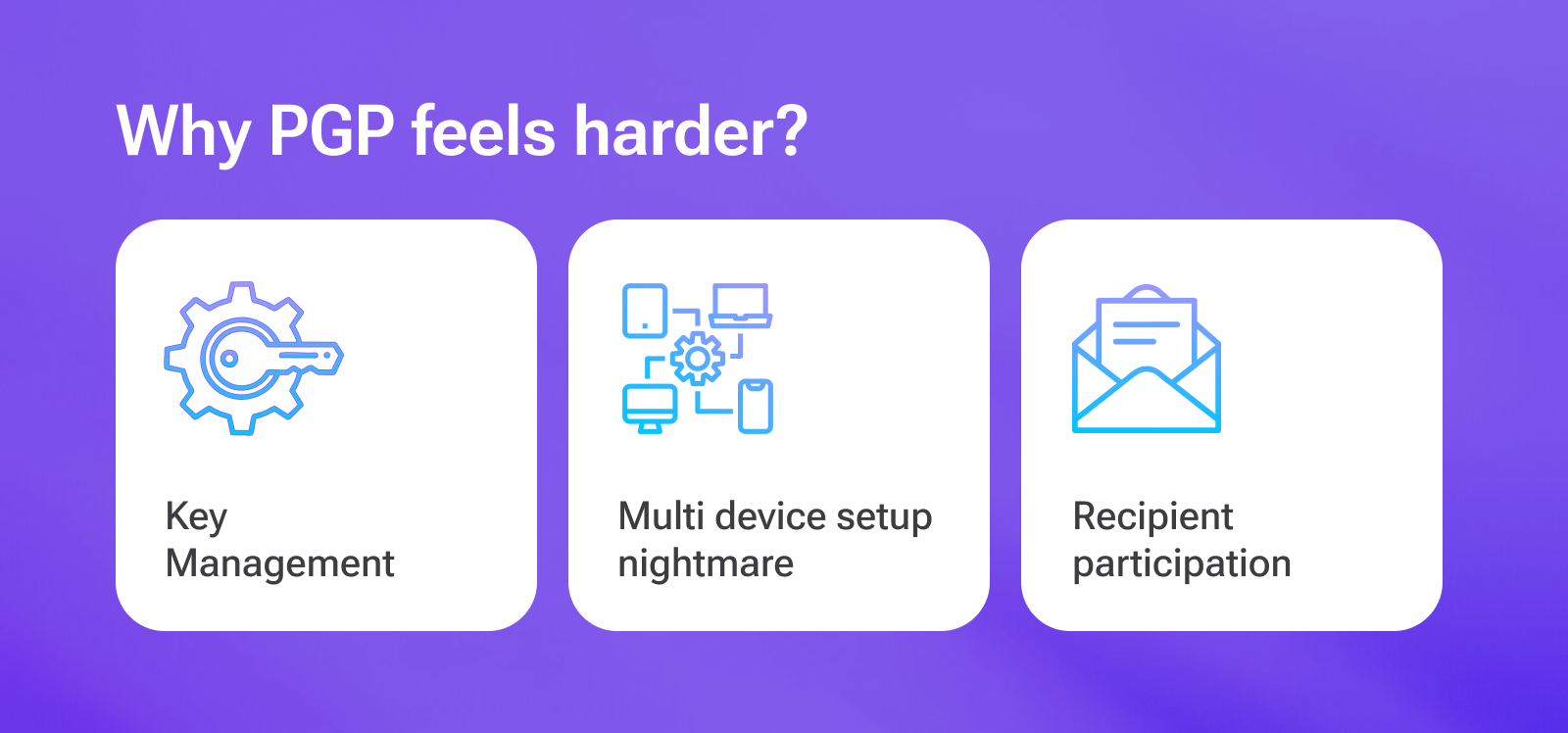
Why is PGP email encryption so hard for business? Mainly because PGP has three inconvenient realities.
1) Key management is a real job
PGP key management problems are real. Someone has to own all of this (forever):
- Generate keys correctly (and pick sane defaults).
- Protect private keys (passwords, secure storage, access controls).
- Back up keys so you don’t lose access to old encrypted mail.
- Rotate or replace keys periodically (or when something looks compromised).
- Revoke keys when devices are lost or employees leave.
- Keep key mappings straight (“Which key is current for this person?”).
- Handle onboarding and offboarding without breaking everyone’s ability to decrypt.
The math is fine. The key hygiene is where everything dies.
2) Desktop vs mobile key management is where the wheels come off
This is not a “2026 problem.” People have expected email to work across devices for ages.
PGP has to survive:
- a laptop,
- a phone,
- sometimes a third, fourth, fifth device,
- and whatever gets replaced next quarter.
That usually means moving private keys around (securely), syncing keyrings, and dealing with inconsistent behavior across clients.
PGP key management problems become excruciating with increasing devices. One app exports a key in one format, another expects a different one, and suddenly you’re reading forum posts from 2013 like they’re sacred texts.
PGP doesn’t fail because the math is weak. It fails because key logistics don’t scale to modern device habits.
3) Every recipient has to participate
PGP is best when both sides already use PGP.
In most businesses:
- external recipients do not use PGP,
- they will not install a tool for you,
- and if they do, it will work on one device and break on another.
If your reality is “clients, customers, patients, vendors, contractors,” PGP becomes an adoption wall.
What breaks in real life (the PGP ticket queue)
PGP fails the same way most “perfect” systems fail: humans, devices, and time.
Plan for onboarding, key backups, lost devices, key mix-ups, mobile weirdness, and the steady drip of “why can’t I decrypt this anymore?” tickets.
If your business likes support queues, you are going to love PGP.
PGP vs S/MIME vs portal encryption vs modern E2EE overlays
This is where most “let’s encrypt email” meetings go bad, because people compare four different models like they’re interchangeable.
They’re not.
Let's compare modern business email encryption solutions.
| Model | What it really is | Recipient experience | Operational burden | “True E2EE” potential |
|---|---|---|---|---|
| PGP (OpenPGP) | End-to-end encryption using user-managed key pairs | Usually requires tooling and keys on the recipient side | High | Yes (when implemented and verified correctly) |
| S/MIME | End-to-end encryption using CA-issued certificates | Works “in-client” if both sides are set up | High | Yes (when implemented correctly) |
| Portal / secure-message links | Message stored and accessed via a web portal (often encrypted storage plus access control) | Click link → authenticate → view message | Medium | Sometimes (often not sender/recipient-only) |
| Modern E2EE overlays | Adds encryption on top of the email you already use | Typically link plus passcode (no install) | Low | Often yes (depends on product and mode) |
Who PGP is actually for
Most businesses don’t choose PGP. They inherit it from a partner, a policy, or a security team with battle scars.
PGP is also common in developer and security circles because it’s decentralized (no Certificate Authority required) and fits organizations that prefer to manage keys directly.
PGP tends to work when:
- both sides already use it,
- the recipients are relatively stable and technical,
- and someone is willing to own key hygiene.
If you’re emailing the outside world, PGP isn’t the place to plant your flag.
Best email encryption alternatives to PGP (that don’t require recipients to earn a cybersecurity degree)

Option 1: Add a modern email encryption service that works with your existing email
This is the “keep Gmail/Outlook/Zoho/etc., add encryption in minutes” approach.
For example, SecureMyEmail:
- Works with existing email addresses and providers
- Uses OpenPGP at its core and can interoperate with existing PGP users (including legacy keys) when a partner insists on “real PGP”
- Encrypts messages, attachments, and replies
- External recipients use a secure link plus a passcode sent to their inbox (no accounts or installs)
- Includes a zero-knowledge end-to-end mode for cases where you want maximum privacy
- Lets existing PGP users exchange keys through a SecureMyEmail-provided interface, so you can support “real PGP” workflows without dumping key logistics on everyone
You can start immediately with a free trial, with no payment info and no sales call.
It’s not trying to be a full enterprise DLP/eDiscovery platform. It’s trying to make encrypted email usable.
Option 2: Enterprise encryption platforms (Virtru, PreVeil, etc.)
These can deliver strong encryption plus policy control, often with extensions, portals, admin tooling, and higher pricing.
Great if you need deep governance.
Less great if you just need to encrypt email without a rollout plan and a calendar full of meetings. And, as mentioned, a much bigger hit to the budget.
Here's a comprehensive look at the best email encryption alternatives to PGP for your business in 2026.
How to decide if you need PGP (without losing your weekend)?
Let’s be honest: in 2026, almost nobody “chooses PGP” unless they have a specific reason.
Use this shortcut:
- If you email the outside world (customers, patients, vendors): start with a modern encryption overlay.
- If you require in-client decryption (no links, decrypt inside Outlook/Apple Mail): evaluate S/MIME first.
- If one partner insists on “real PGP,” an overlay service that can interoperate with existing OpenPGP keys (like SecureMyEmail) lets you meet the requirement without rolling PGP out to everyone.
- If you need governance (policy, auditing, bigger compliance stack): budget for an enterprise platform.
Rule of thumb: if your plan includes “we’ll train everyone on key management,” you are about to learn why most companies don’t run PGP at scale. It's PGP key management problems.
TL;DR
PGP is real encryption. It’s also a real project.
If you have technical users and a predictable set of recipients who already use PGP, it can work.
If you want encrypted email that works today with real-world recipients, a modern encryption overlay is usually faster, cheaper, and far less painful.
FAQ
- What are the alternatives to PGP email encryption?
The alternatives to PGP email encryption are S/MIME, modern encryption overlay, and enterprise email encryption solutions. Most SMBs prefer modern encryption overlay such as SecureMyEmail as its usually faster, cheaper, and super easy to use.
- Encrypt your personal and business emails.
- All VPN Features, Protocols, and Stealth Modes.
- Unconditional 30-Day
Money-Back Guarantee.